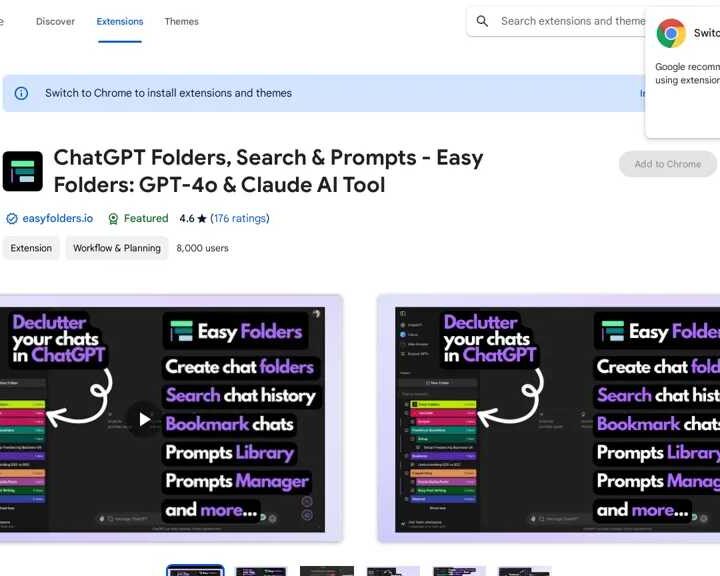
Easy Folders: Streamlining AI Chat Management
Easy Folders is a comprehensive Chrome extension designed to enhance communication with large language models (LLMs) like GPT-4O and Claude AI. By providing a robust framework for organizing chat conversations, this AI chat organizer empowers users to efficiently manage their AI interactions, boost productivity, and organize their AI workflow.
Key Features for Effortless AI Organization
- Organized Folders: Categorize and access your AI chats effortlessly by creating dedicated folders for different projects, interests, or topics, making your LLM chat management seamless.
- Search Functions: Quickly locate specific conversations through comprehensive search capabilities within your organized folders, ensuring you find vital AI discussions fast.
- Bookmarks: Save important AI chats for easy access and future reference, a crucial feature for knowledge workers managing vast amounts of information.
- Prompt Management: Store and manage prompts for both ChatGPT and Claude AI, facilitating efficient and consistent interactions. This is a top prompt organization tool.
- Custom Instruction Profiles: Create personalized instructions tailored to specific projects or tasks, enhancing the accuracy and relevance of AI responses from your LLMs.
Privacy and Enhanced User Experience for AI Tools
Easy Folders prioritizes user privacy by storing all data locally on your device, ensuring your sensitive AI chat history remains secure. Further enhancing your experience as a Chrome user, Easy Folders offers:
- Dark/Light Mode Support: Choose your preferred visual setting for optimal comfort while organizing your AI conversations.
- Cross-Device Synchronization: Seamlessly access your organized chat history across multiple devices, keeping your AI chat history synced and accessible anywhere.
- Drag-and-Drop Functionality: Easily move and organize chats within your folders for intuitive AI conversation management.
Use Cases and Applications for AI Users
- Professionals: Organize work-related chats into dedicated folders for efficient information retrieval and AI workflow optimization. Streamline communication with LLMs for business tasks.
- Knowledge Workers: Leverage organized chats to build a comprehensive AI knowledge base, readily accessible through powerful search and bookmarking functions.
- Personal Use: Manage and categorize chats related to hobbies, interests, or personal projects for a clutter-free and personalized AI chat experience.
Target Audience: Who Needs Easy Folders?
- Professionals: Individuals seeking enhanced communication and workflow optimization with LLMs.
- Knowledge Workers: Users looking to manage and access information from LLM interactions efficiently.
- Chrome Users: Individuals who utilize the Chrome browser for their daily activities, including communication with AI tools.
- ChatGPT and Claude Users: Users who regularly interact with these popular LLM platforms and need superior AI chat organization.
Easy Folders represents a valuable tool for anyone seeking to streamline and optimize their interactions with large language models, enhancing both productivity and user experience. Discover why users rate it highly for performance, customization, and ease of use.
Easy Folders Ratings:
- Accuracy and Reliability: 3.8/5
- Ease of Use: 3.9/5
- Functionality and Features: 3.5/5
- Performance and Speed: 4.3/5
- Customization and Flexibility: 4.4/5
- Data Privacy and Security: 3.6/5
- Support and Resources: 4.2/5
- Cost-Efficiency: 4.2/5
- Integration Capabilities: 4.4/5
- Overall Score: 4.03/5