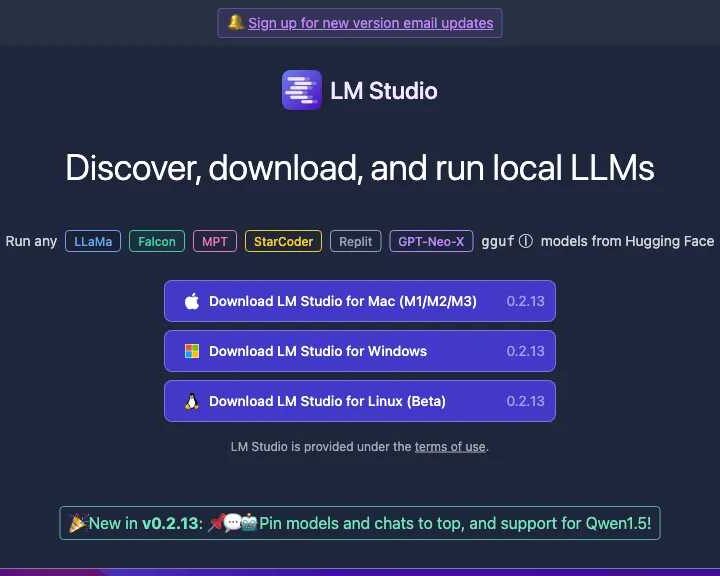
LM Studio: Your Gateway to Running Local AI Models
Unlock the power of artificial intelligence directly on your machine with LM Studio. This leading AI tool simplifies the discovery, download, and deployment of local Large Language Models (LLMs). Whether you’re a machine learning engineer, data scientist, or AI hobbyist, LM Studio provides a seamless way to run cutting-edge AI models without relying on cloud infrastructure.
Discover and Deploy Hugging Face Models Locally
LM Studio grants you access to a vast repository of AI models, primarily from Hugging Face. Effortlessly explore and download popular LLMs like LLaMa, Falcon, MPT, StarCoder, Replit, GPT-Neo-X, and newer versions such as LLaMa 2, Orca, Vicuna, Nous Hermes, and WizardCoder. The platform supports various model formats, including GGML, ensuring broad compatibility.
Key Features and Benefits for AI Enthusiasts
- Effortless Model Discovery: Browse and find AI models easily.
- Local LLM Execution: Run sophisticated AI models directly on your hardware.
- Offline AI Capabilities: Operate AI models securely without an internet connection, ideal for privacy-conscious projects.
- Hugging Face Integration: Seamlessly access a wide range of open-source models.
- User-Friendly Interface: Download and execute models with a simple, intuitive UI.
- OpenAI Compatibility: Integrate with existing workflows using OpenAI-compatible APIs.
- Pinning Features: Easily access your favorite models and chats.
Why Choose LM Studio for Local AI?
LM Studio is designed for users who need control, privacy, and cost-efficiency. By running LLMs locally, you ensure your data stays on your machine, enhancing security and reducing reliance on third-party services. It’s perfect for experimenting, developing AI applications, or learning about advanced AI models without constant internet access.
Technical Requirements and Availability
To run LM Studio effectively, a minimum of 16GB RAM and 6GB VRAM is recommended, with support for Nvidia and AMD GPUs. LM Studio is available for free for personal use on Mac (M1/M2/M3), Windows, and Linux (beta), making powerful local AI accessible to a broad audience.
LM Studio User Ratings:
Users appreciate LM Studio for its capabilities, reflected in the following scores:
- Accuracy and Reliability: 4.4/5
- Ease of Use: 4.3/5
- Functionality and Features: 4.4/5
- Performance and Speed: 3.5/5
- Customization and Flexibility: 3.7/5
- Data Privacy and Security: 4.4/5
- Support and Resources: 4.2/5
- Cost-Efficiency: 3.7/5
- Integration Capabilities: 4.3/5
- Overall Score: 4.10/5
Explore LM Studio and other powerful AI tools on Proaitools.net. Compare features, read reviews, and find the best AI solutions for your needs.